Keep your houses organized. Keep residents connected.
Manage intake, weekly rent, signed forms, drug-screen records, and daily house routines in one app. Residents can check their chores, message the house, write in their journal, and track recovery milestones.
Tools for the work your house does every day
Start with the routines your team already follows. ARKHE brings resident records, house activity, paperwork, and billing into a shared place to work.
Accountability
Keep daily expectations clear
Put house rules, phases, curfews, and chores where staff and residents can find them. Review the day’s activity and follow up on anything that needs attention.
Phase system
Set the curfew, meeting requirements, and privileges for each phase. Residents can request advancement, and staff can review the request alongside their phase history.
Strikes
Record a house-rule violation and the reason for it. Set expiration periods and phase rules, and keep the history available for staff review.
House rules library
Save your house rules and keep previous versions. A resident’s signature stays linked to the version they received.
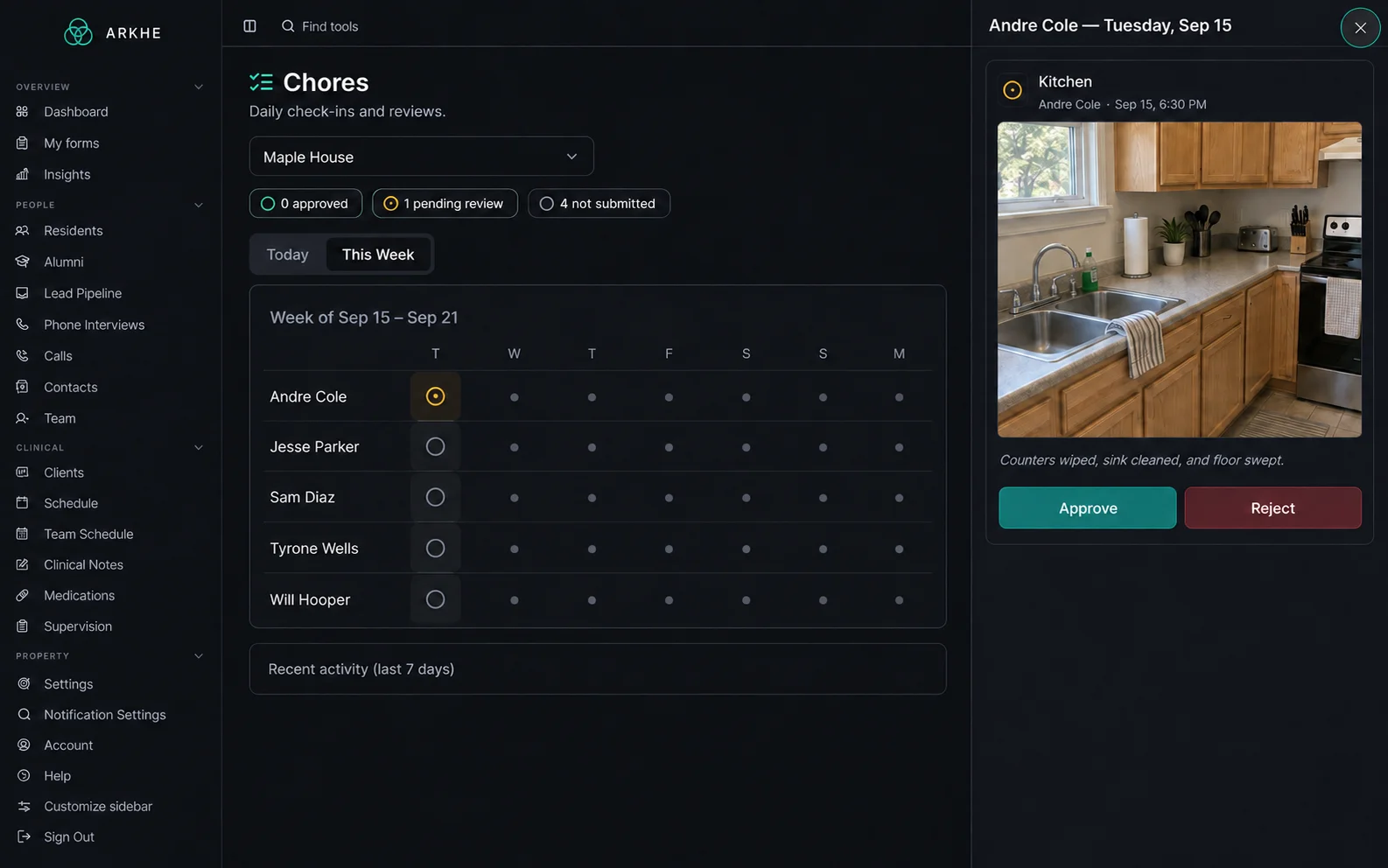
Chore photos and review
Assign chores and review the weekly schedule. Residents submit a photo when they finish; staff can approve the submission or ask them to try again.
GPS sign-in board
See who is home, where residents have signed out to, and when they expect to return. Location checks show staff whether a sign-in was verified or needs review.
Curfew tracking
Set curfews by phase and review overdue returns. Staff can follow up from the sign-in board and check the resident’s history.
Meeting attendance
Residents can log recovery meetings from their phone. Staff can review attendance entries and available location checks alongside weekly requirements.
Recovery tools for residents
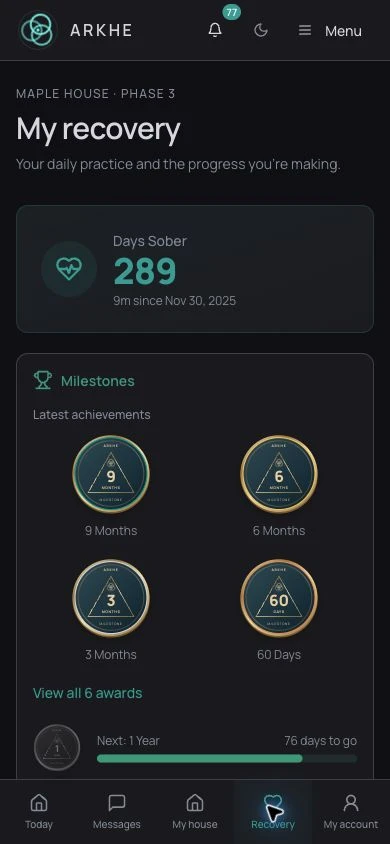
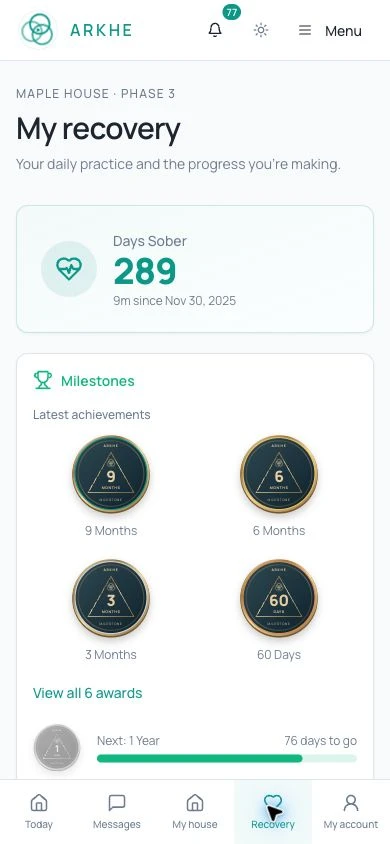
Residents can write in their journal, view sober days and milestone coins, complete check-ins, and use the recovery library from their own account.
Compliance
Keep records ready for review
Keep drug-screen records, incident reports, staff credentials, and signed documents organized. When you need to review an event, the details and follow-up belong with the same record.
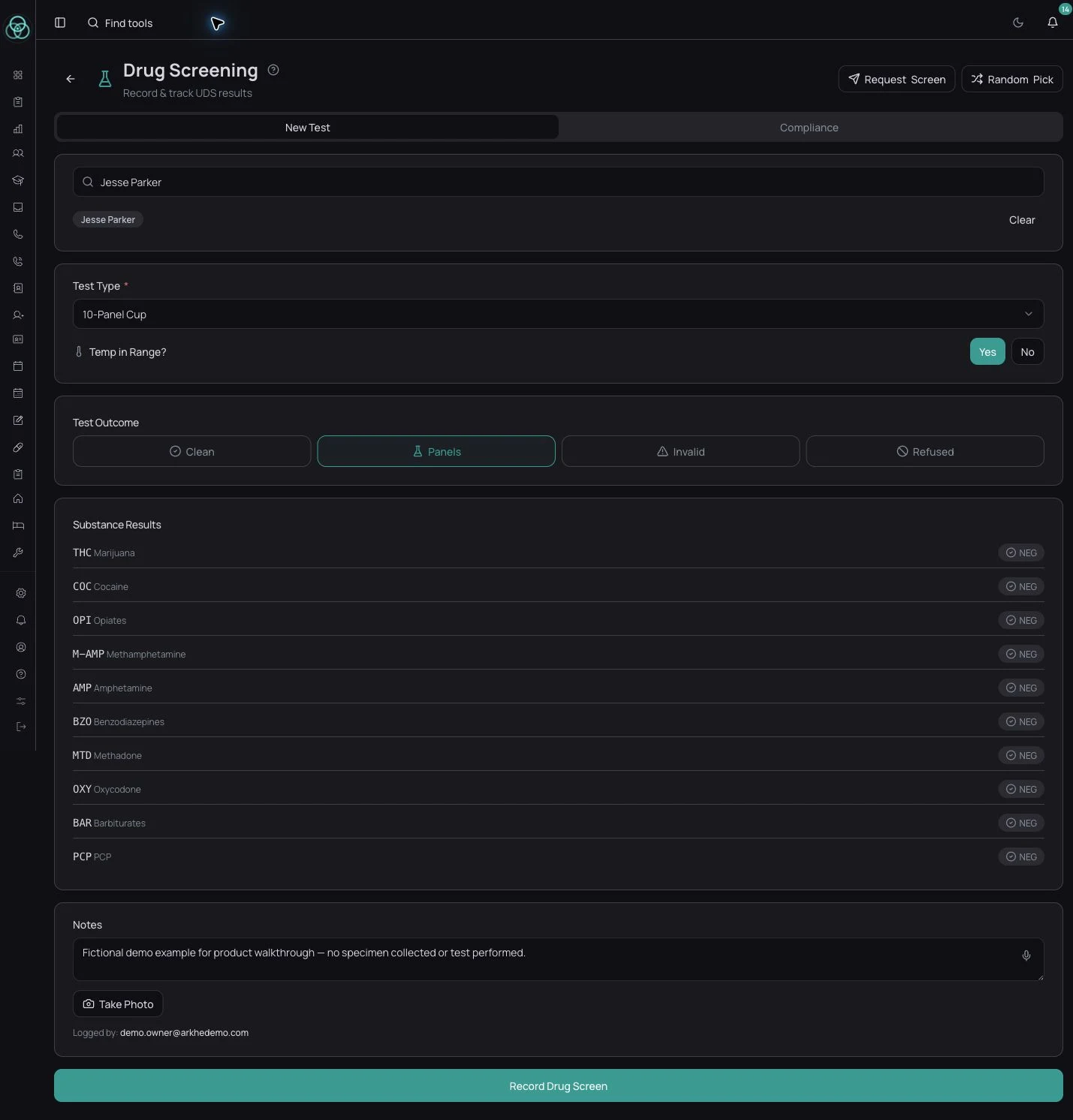
Drug screening
Record the test panel, temperature check, results, and a photo. Review screening history and follow-up work from the resident’s record.
Random selection with audit log
Select residents for screening and keep a record of the selection. Staff can review when the selection happened and who was included.
DDAP incident reporting
Record the incident, follow-up actions, and filing details. Keep reporting dates and the plan of correction with the same record.
Staff credential tracking
Keep staff training records, certificates, and expiration dates together. Review upcoming renewals and attach the supporting documents.
Document scanner with audit trail
Capture documents with a phone camera and keep them with the resident’s record. Document fingerprints and signature details help staff review the history.
Discharge documentation
Record the discharge reason, follow-up plan, and required signatures. Keep the completed paperwork with the resident’s history.
Resident grievance log
Record the concern, the date received, and the response. Track follow-up and the resident’s acknowledgment in the same place.
Medication log
Keep medication schedules and dose records together. Staff can review missed-dose flags and recorded access to the medication record.
Review the requirements for your houses
Use your state requirements and recovery housing standards to decide which records your team needs. ARKHE helps organize that work; your program remains responsible for meeting the requirements.
- 28 Pa Code §717.31
- Pennsylvania recovery house incident reporting. Confirm the current requirements with DDAP.
- NARR housing standards
- Review your house rules, resident rights, and staff practices against the standards that apply to your program.
Have a county or state requirement that is not listed above? Tell us, and we will review the workflow with you.
Forms
Use the forms your house already knows
Bring your intake packet, house agreement, or other paperwork into ARKHE. Review the digital form, assign staff and resident sections, and keep track of completed copies.
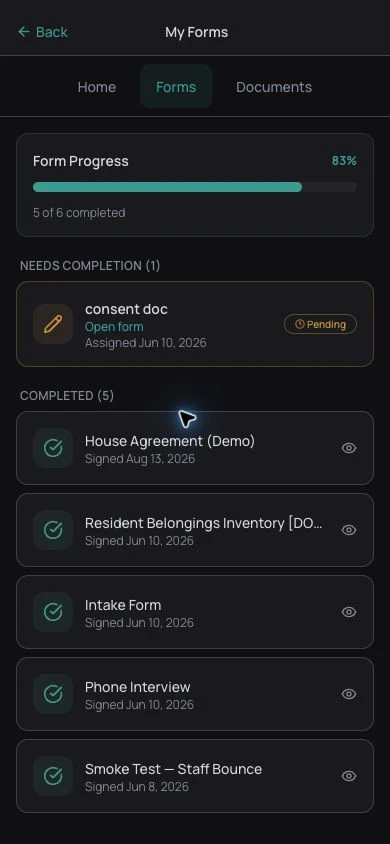
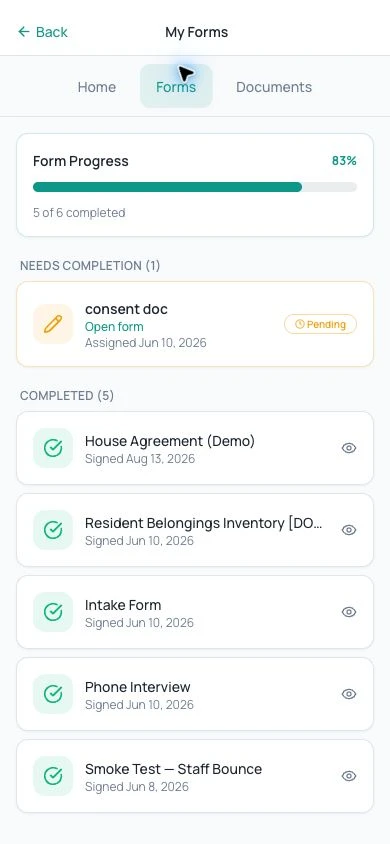
Know what still needs a signature
Residents see their outstanding forms and completed copies in one place.
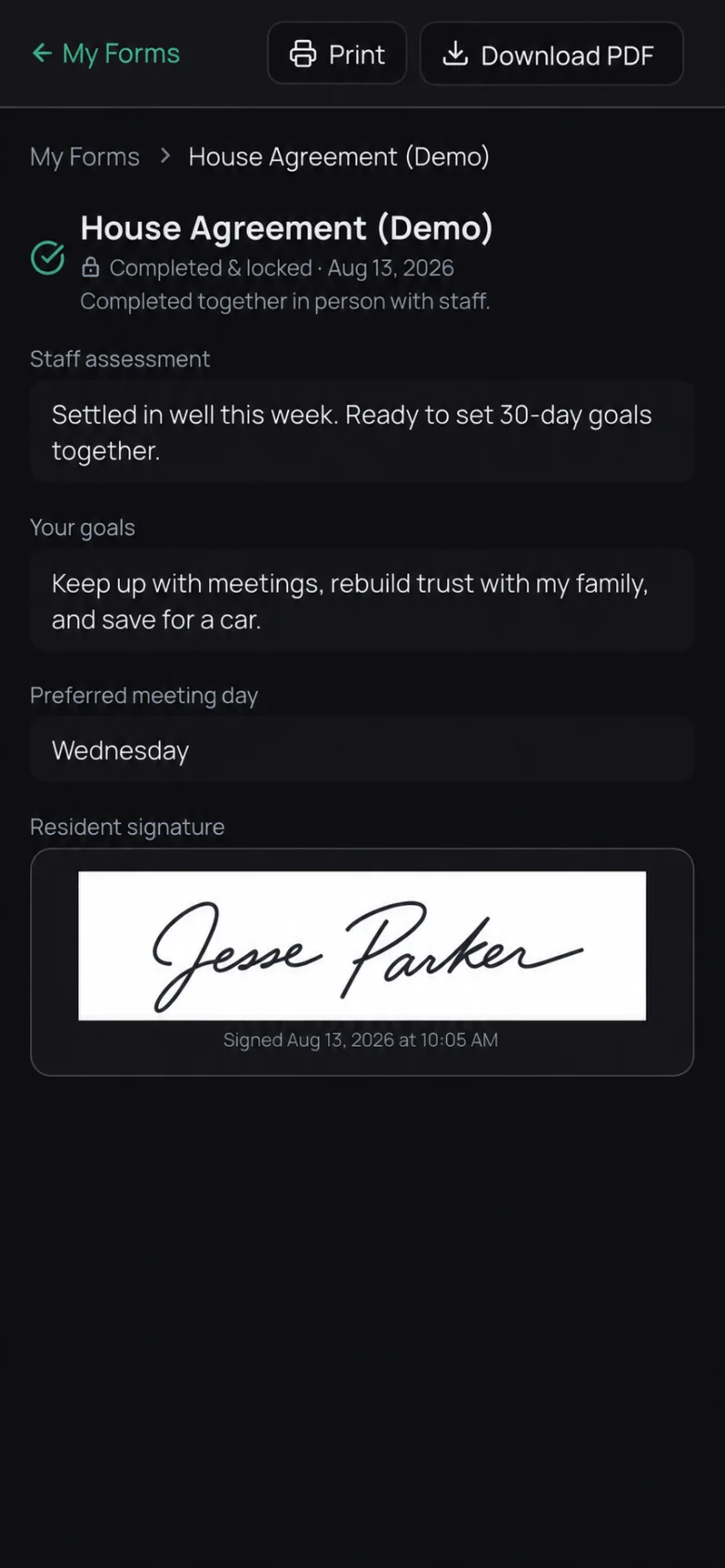
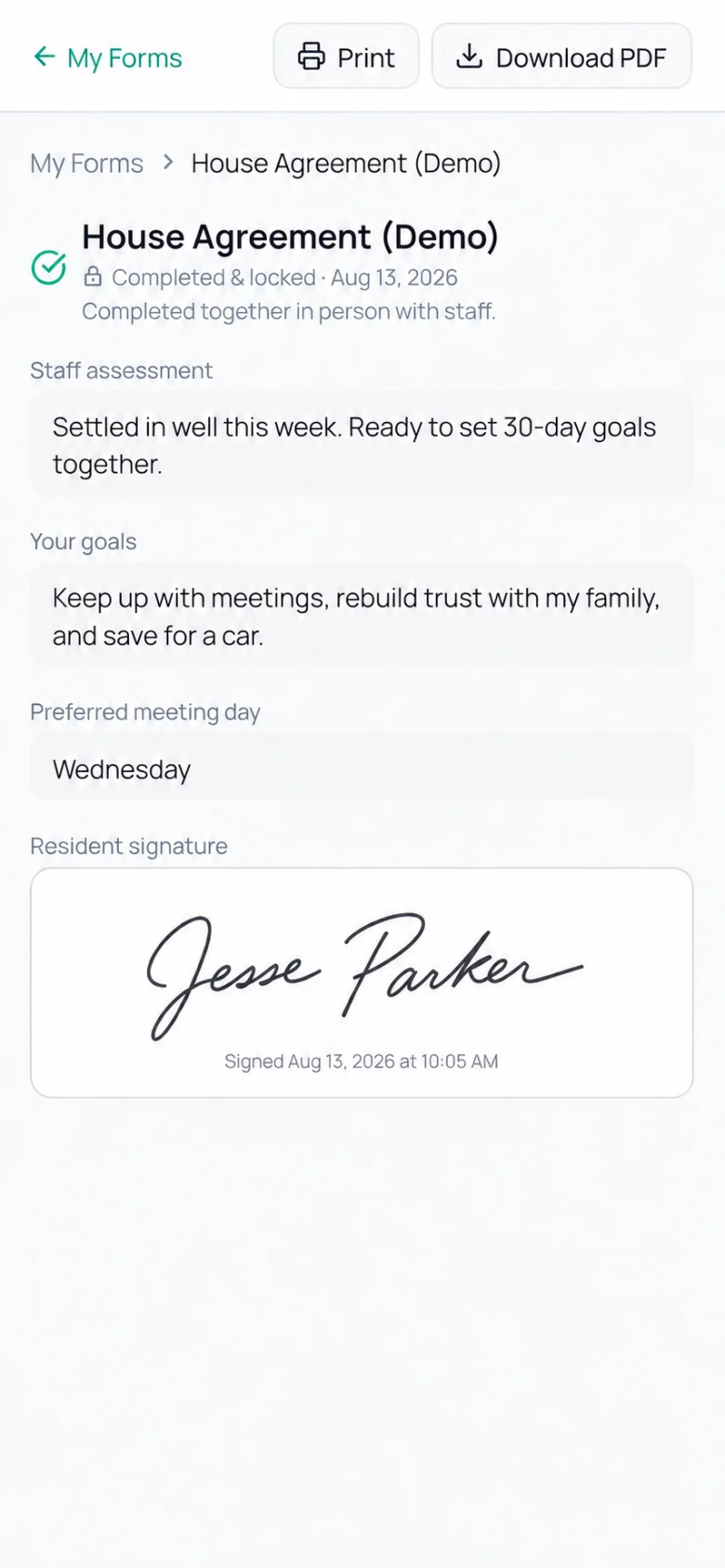
Keep the completed copy
A shared-device form records the staff section, resident answers, signature, and in-person completion.
ARKHE demo screens.
Complete paperwork together
Staff and residents can work through a form on one device. Each completes their own section, and the finished copy records that it was completed together.
AI form parsing
Upload an existing form to create a digital draft. Review the suggested fields, who should complete them, and any information pulled from the resident’s record before assigning it.
Read your old paper files
Extract answers from completed paper forms, then check the results before saving them to the record.
Form builder and library
Create forms, choose the fields you need, and assign them to a resident or house. Keep track of changes and which version was completed.
Completion tracking
Find outstanding forms by resident or house. Review completed copies and follow up on missing answers or signatures.
Staff and resident sections
Choose which questions residents answer and which staff complete. Adjust those assignments when reviewing an imported form.
Document library with PDF fill & sign
Organize resident and house documents in folders. Open assigned PDFs, complete the fields, and collect signatures in the app.
Operations
Manage the work behind each house
Keep inquiries, bed assignments, rent balances, repairs, and house messages connected to your daily work. Owners can review the program, and managers can focus on their assigned houses.
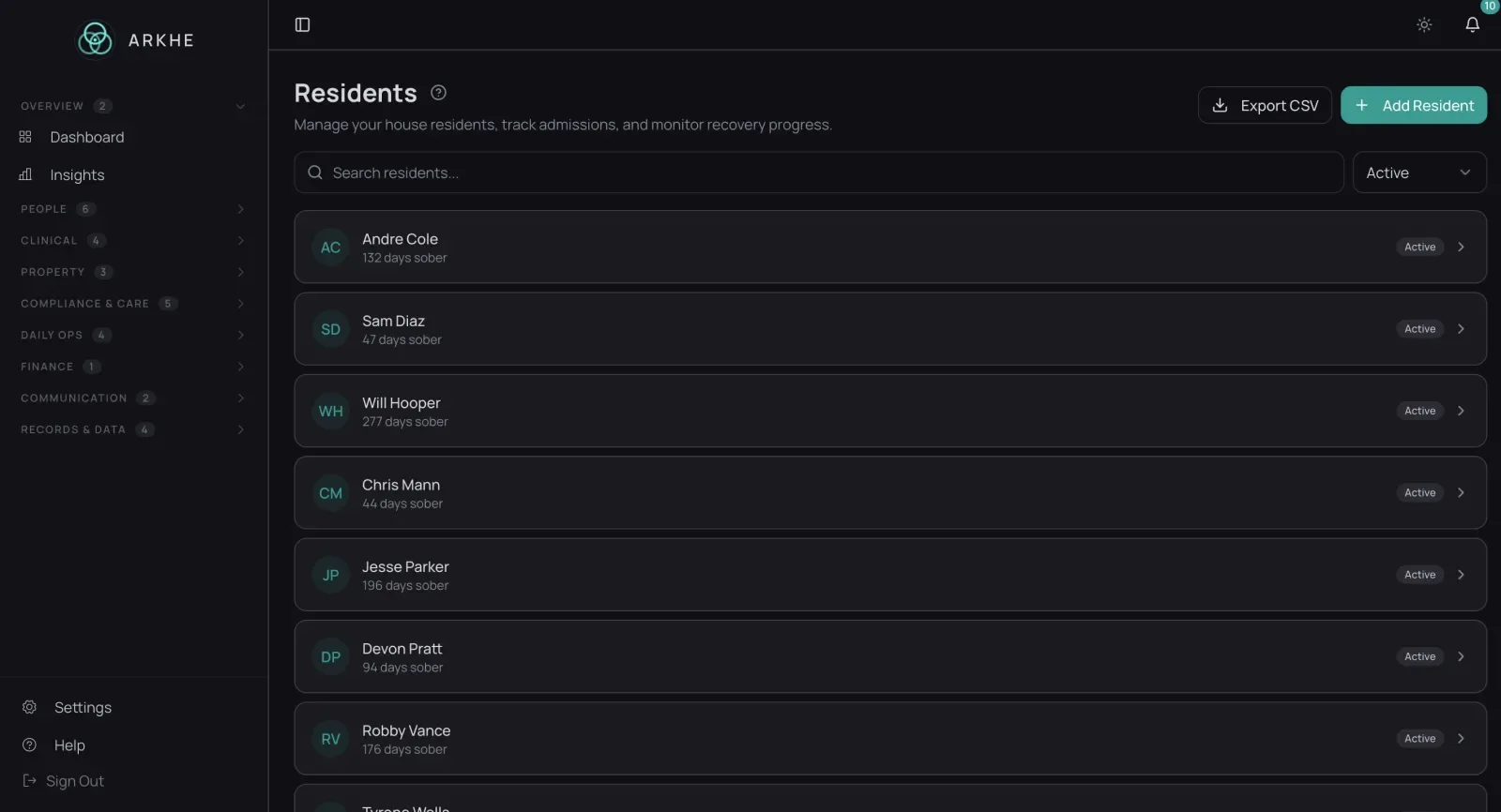
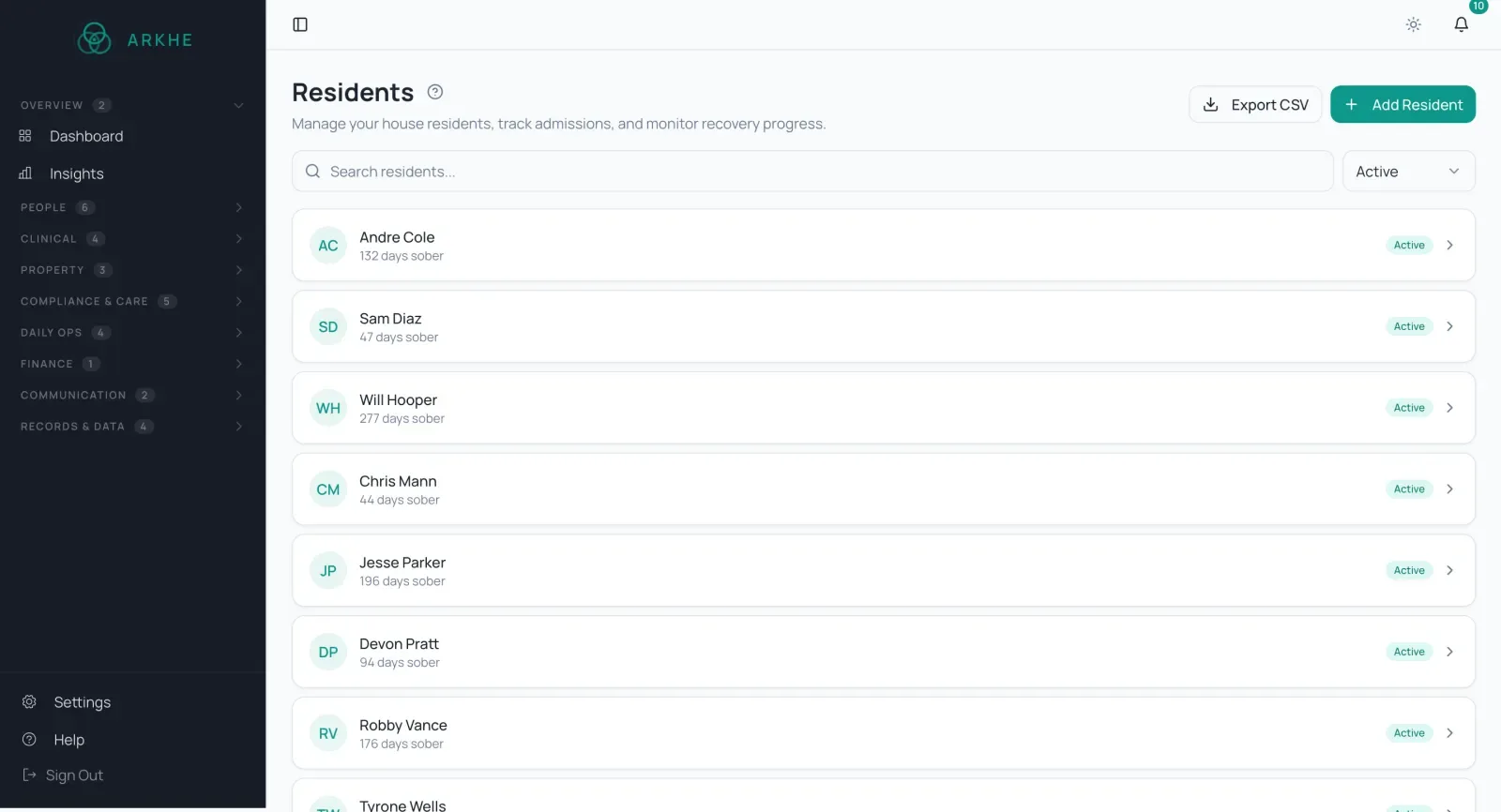
Lead pipeline and intake
Follow an inquiry from the first call through admission. Review applications, update their status, and check for possible duplicate records.
Referral contact directory
Keep referral contacts and the residents they referred together. Staff can find the right person when they need to follow up.
Automated weekly billing
Set weekly charges and review each resident’s balance, payments, and credits. Payment collection depends on your organization’s provider setup.
QuickBooks sync
Connect QuickBooks Online to send supported billing records to your accounting system. We can review the setup and available sync options during your demo.
Per-payer rate plans
Set rates for private pay, county funding, and other payers. Keep charges and invoices tied to the resident and payer they belong to.
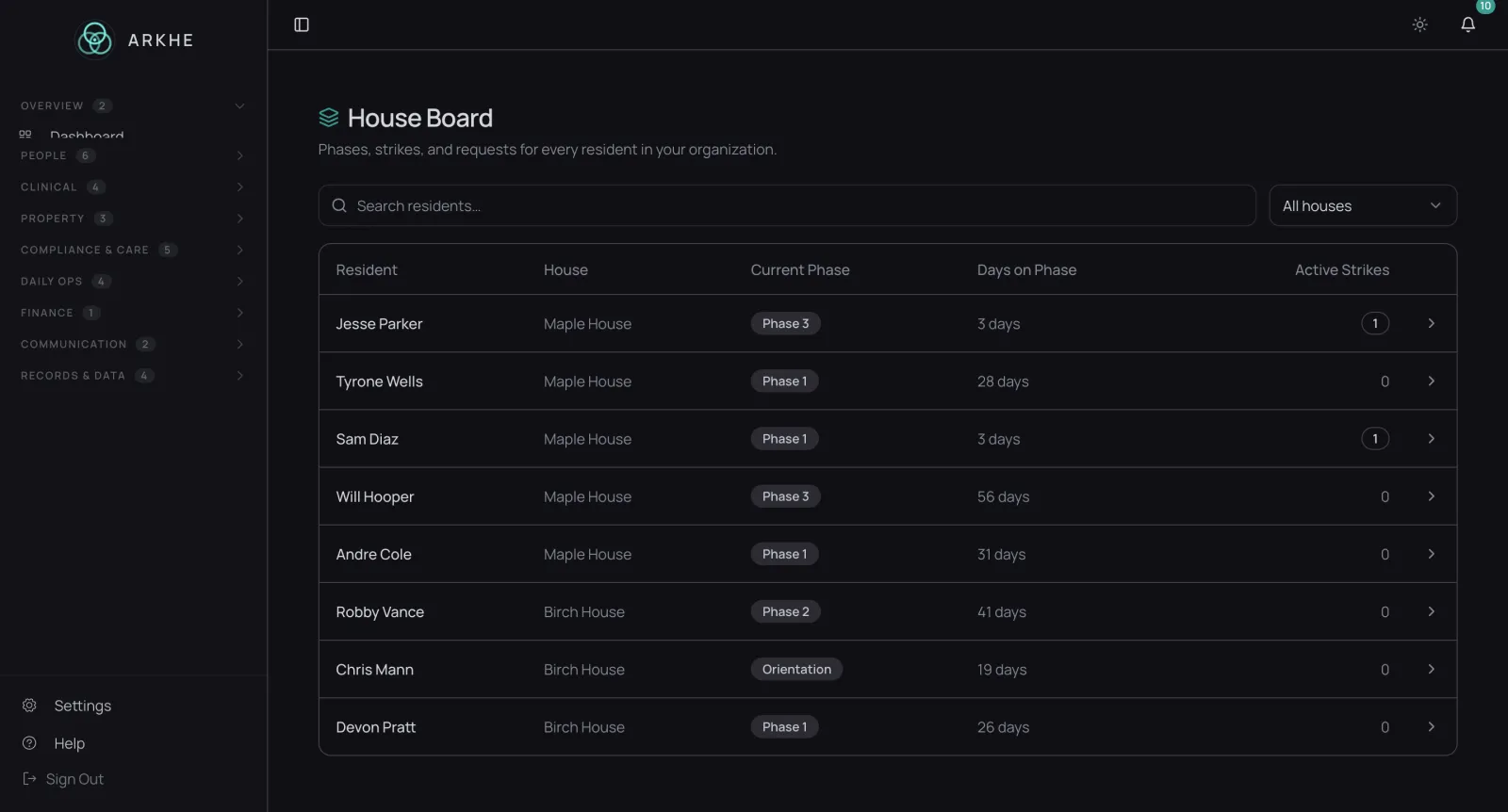
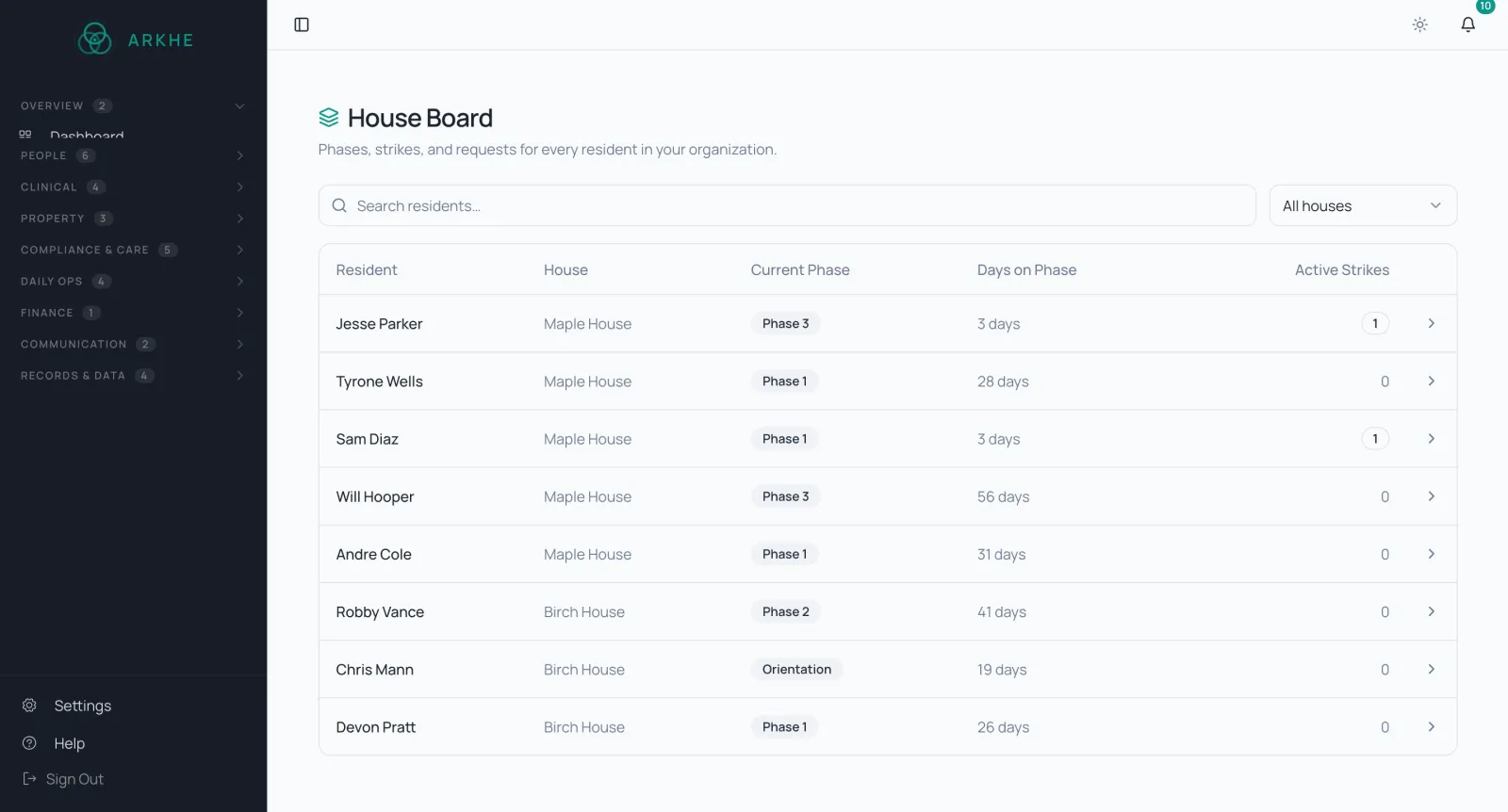
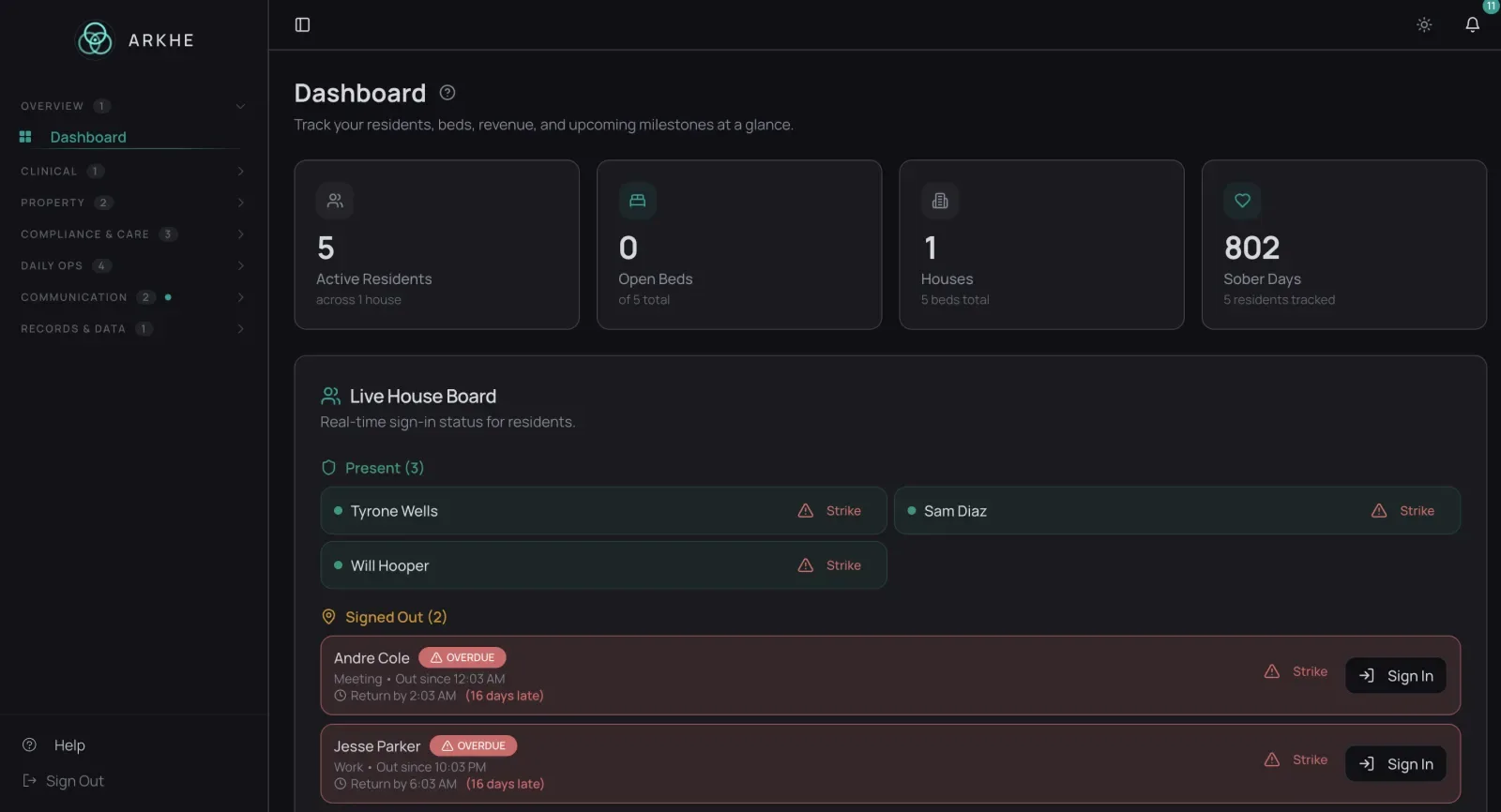
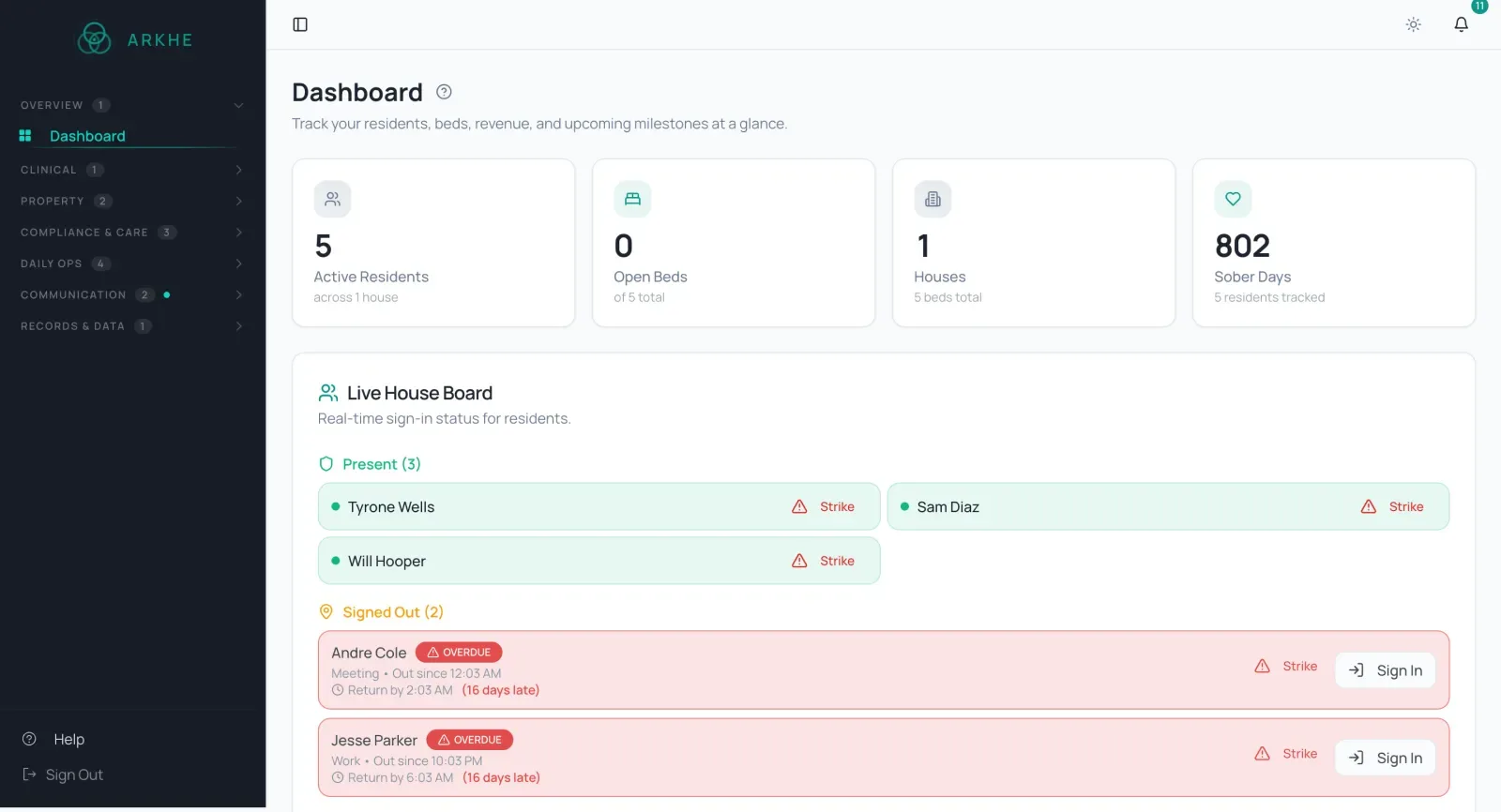
Live house board
Review residents, current phases, sign-out status, and overdue returns by house. Open a resident’s record when you need more detail.
Maintenance requests
Record repairs by house, assign a priority, and attach costs and receipts. Keep the work order available for follow-up.
Move-in & move-out checklists
Track keys, linens, paperwork, and other items your staff issue at move-in or collect at discharge.
Built-in messaging
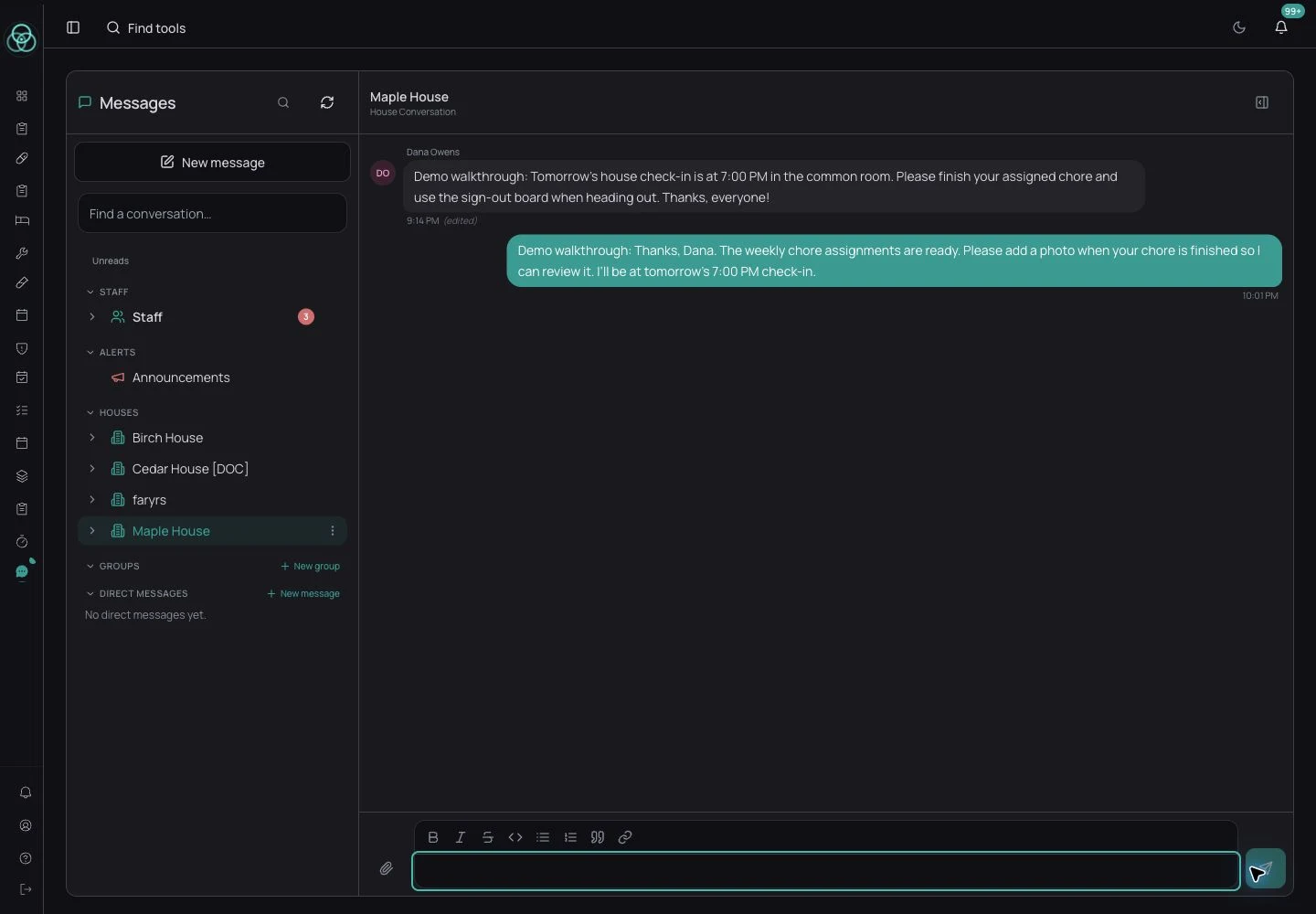
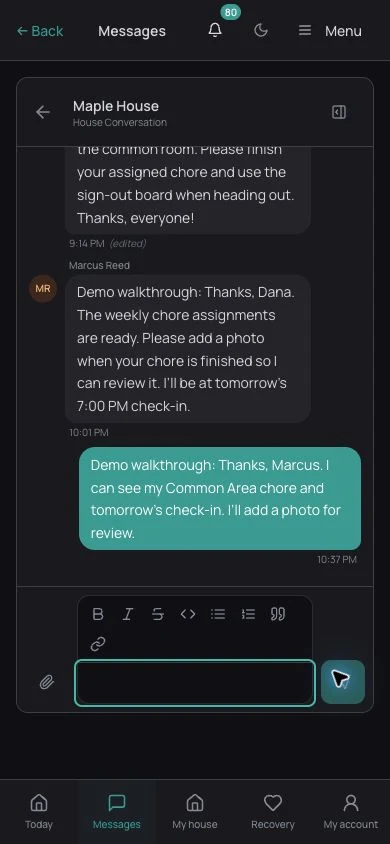
Use house channels and direct messages for reminders, questions, and updates. Share files and pin information people need to find again.
Insight
See how your program is doing
Review how long residents stay, how many are working, and what needs follow-up. Use house-level information and staff reviews to prepare program summaries.
This month
Occupancy
Occupancy across every house · Demo data
AI-assisted weekly review
Review AI-assisted summaries of recent resident records. Staff can check the underlying information and decide whether follow-up is needed.
Program insights dashboard
Review occupancy, length of stay, employment, and recorded sobriety milestones across your houses. Export a summary for program reviews.
Recovery capital trends
Follow recorded employment, housing, and sobriety measures over time. Use the trends to guide questions in your program reviews.
Outcome metrics for funders
Review length of stay, program completion, and other recorded outcomes. Check that the measures match the definitions your funder requires.
County and SCA reports
Use completed weekly reviews to prepare monthly summaries. Include the measures your team tracks and review the report before sharing it.
Voice dictation
Dictate a note, then review and correct the text before saving it.
Owners, managers, and residents
An account for each role
Owners can review the program, managers can handle their assigned houses, and residents can find their own forms, messages, and recovery tools. Each account shows the information that role needs.
For owners and staff
For house managers
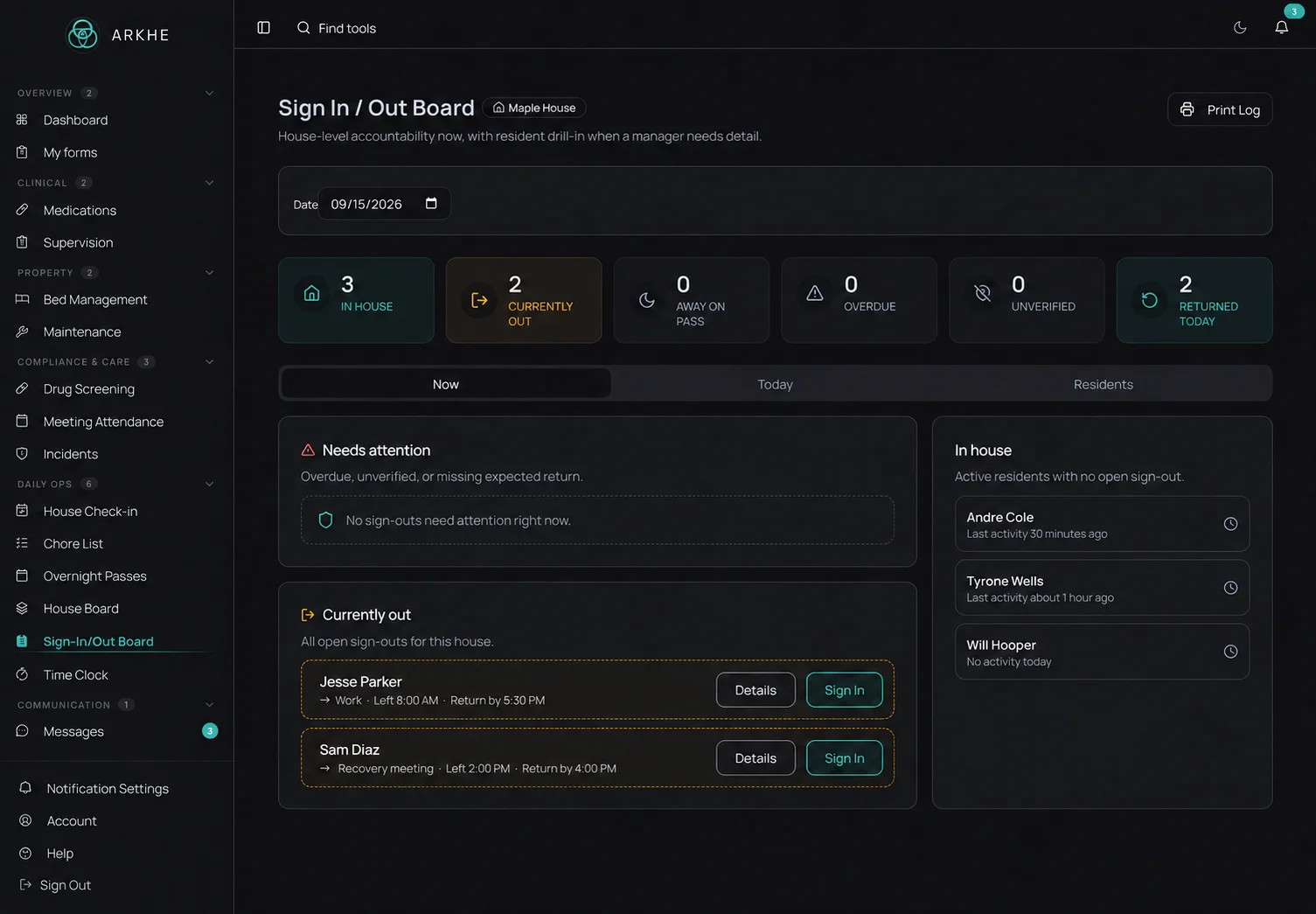
See who’s home, where residents have gone, and when they expect to return. Demo data.
For residents
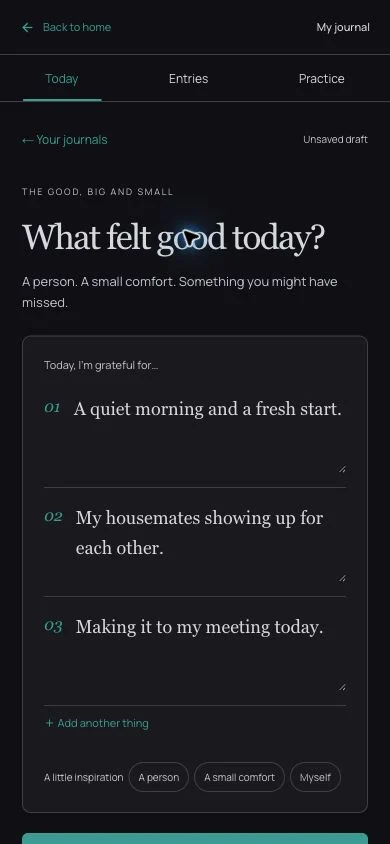
A quiet space for gratitude, nightly review, and personal reflection. Demo data.
Keep the house conversation together
Owners, managers, and residents can coordinate in their house channel. Actual app screens showing a conversation between three demo accounts.
Now available
Take ARKHE with you on iPhone and Android
Access ARKHE from your phone with the account your organization provides. Your role and assignments determine which tools you can use.

Choosing software
Bring a day in your house to the demo
Ask us to walk through the tasks your staff handle most often. Here are a few places to start.
- Admit a resident
- Create the record, assign a bed, set the rate, and complete the intake forms.
- Review the house
- Check sign-outs, expected returns, phases, and the week’s chores.
- Follow up on paperwork
- Find missing forms and signatures, then open the completed copies.
- Review rent
- Check charges, payments, credits, and what is still owed.
- Keep residents involved
- Open the resident account to see messages, journals, and milestone coins.
- Prepare a report
- Review the underlying records and the export your program needs.
Questions
The things operators ask first
Find answers about records, daily use, and pricing. Bring any other questions to your demo.
Compliance & data
Records, access, and data exports.
Day-to-day operations
Setup, switching, residents, and multi-house programs.
Pricing & support
Plans, payments, and setup help.
Book a demo
Tell us about your program. We’ll show you the house, staff, and resident workflows that matter to your team.